Quick Birthday Cards

Finally got an edited video posted. It includes special effects, voiceover and FREE elements I have made available in the vault. Go to the vault if you’d like to use these birthday sentiments (item R003) or balloons (item R002) on your next birthday cards. Here’s the link to the video: Quick Birthday Cards.

Painted Lady Butterfly

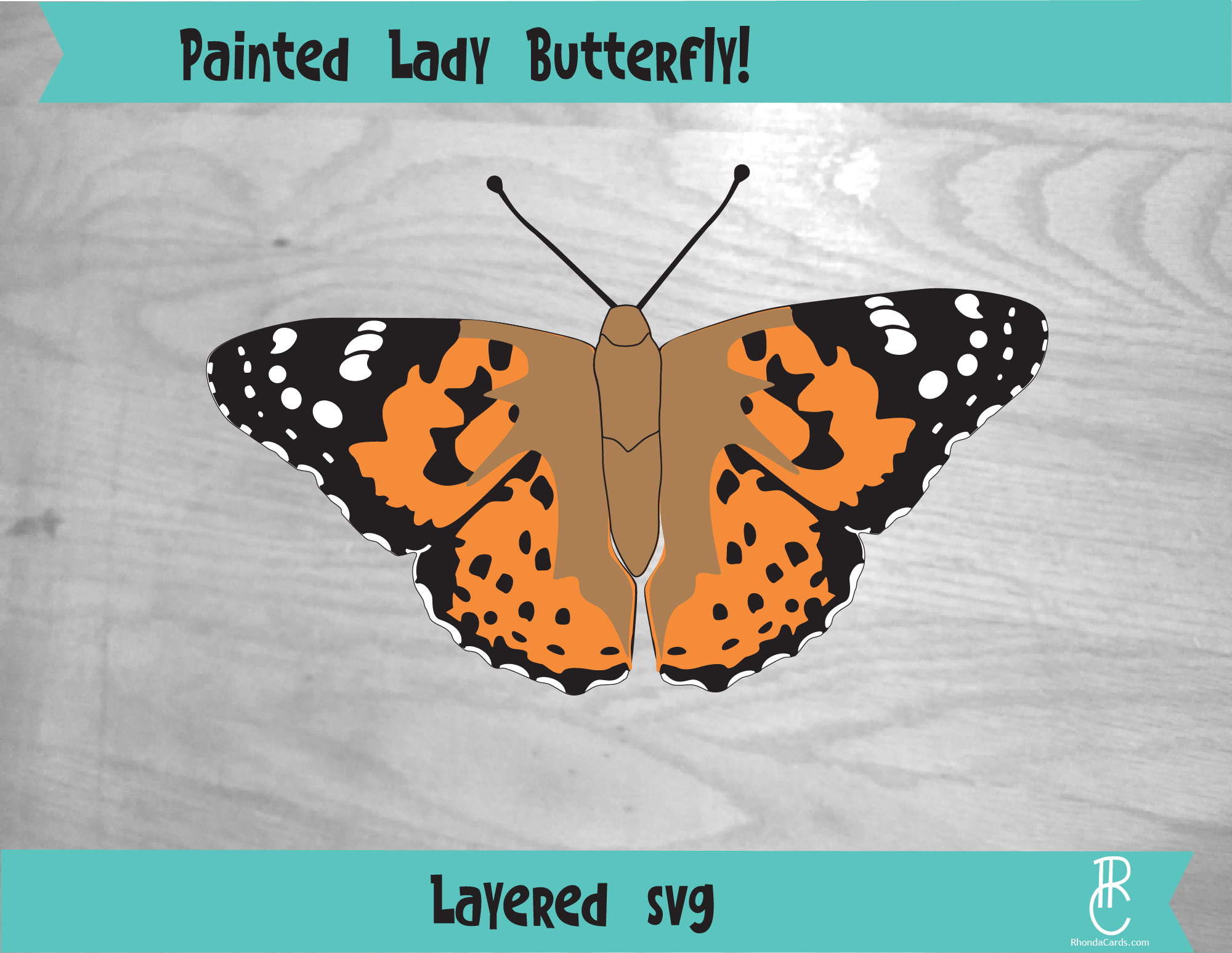
If you love the Vanessa Cardui (also known as the Painted Lady), then you can use this file to cut out your very own beautiful butterfly. Resize and cut as many as you want!

Do you need a painted lady in your life? Umm YES! Previously appearing online elsewhere for sale but now offered in my vault for free download is this beautiful butterfly. I remember the day I made this file. I had just seen one of these beauties in my flowerbed and I had to know what kind of butterfly it was. So, I set about researching and by that evening I had drawn it out. Oh, the wonder of nature and how I marvel to imagine how many places my beloved, little painted lady butterfly visitor might have frequented before delighting me that day!

Introducing Videos!

The time has finally come to make videos of my projects. Cheers!?

Many people have asked to see my work as it is completed or in-progress or even to hear me discuss how I made certain decisions or conceived certain designs. So, these forthcoming videos (via my new YouTube channel) will hopefully accomplish all of those goals.

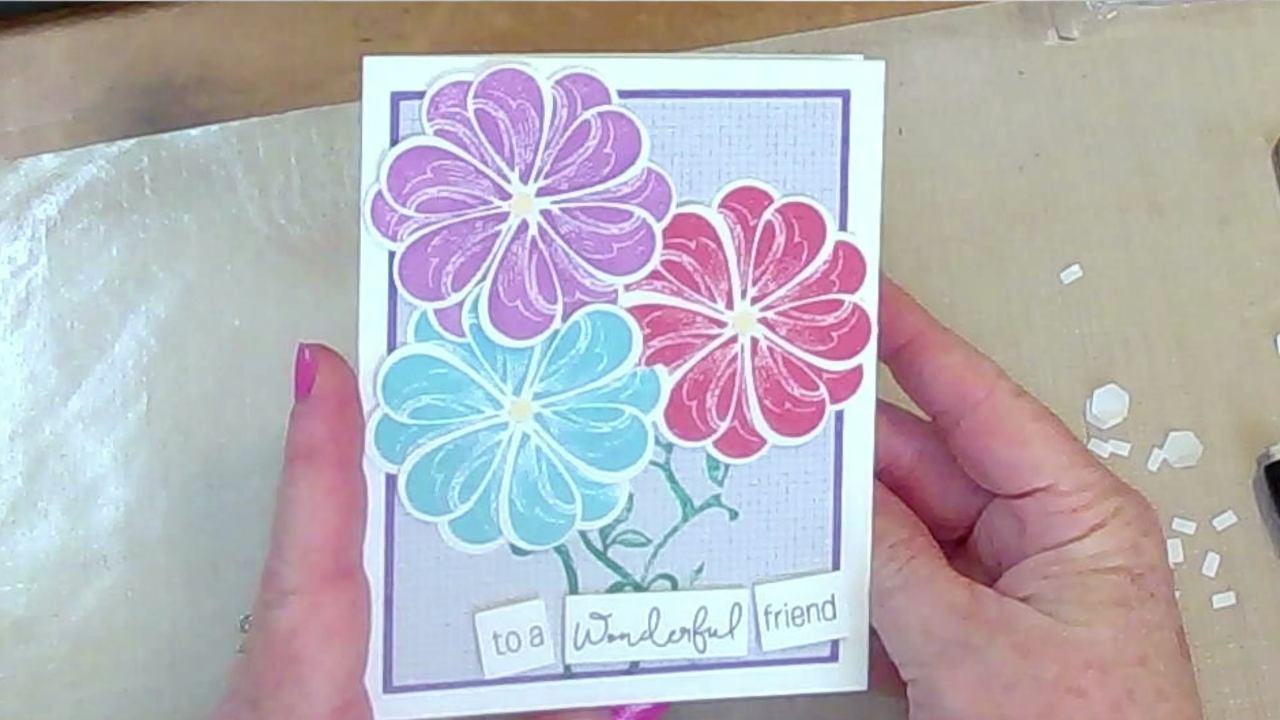
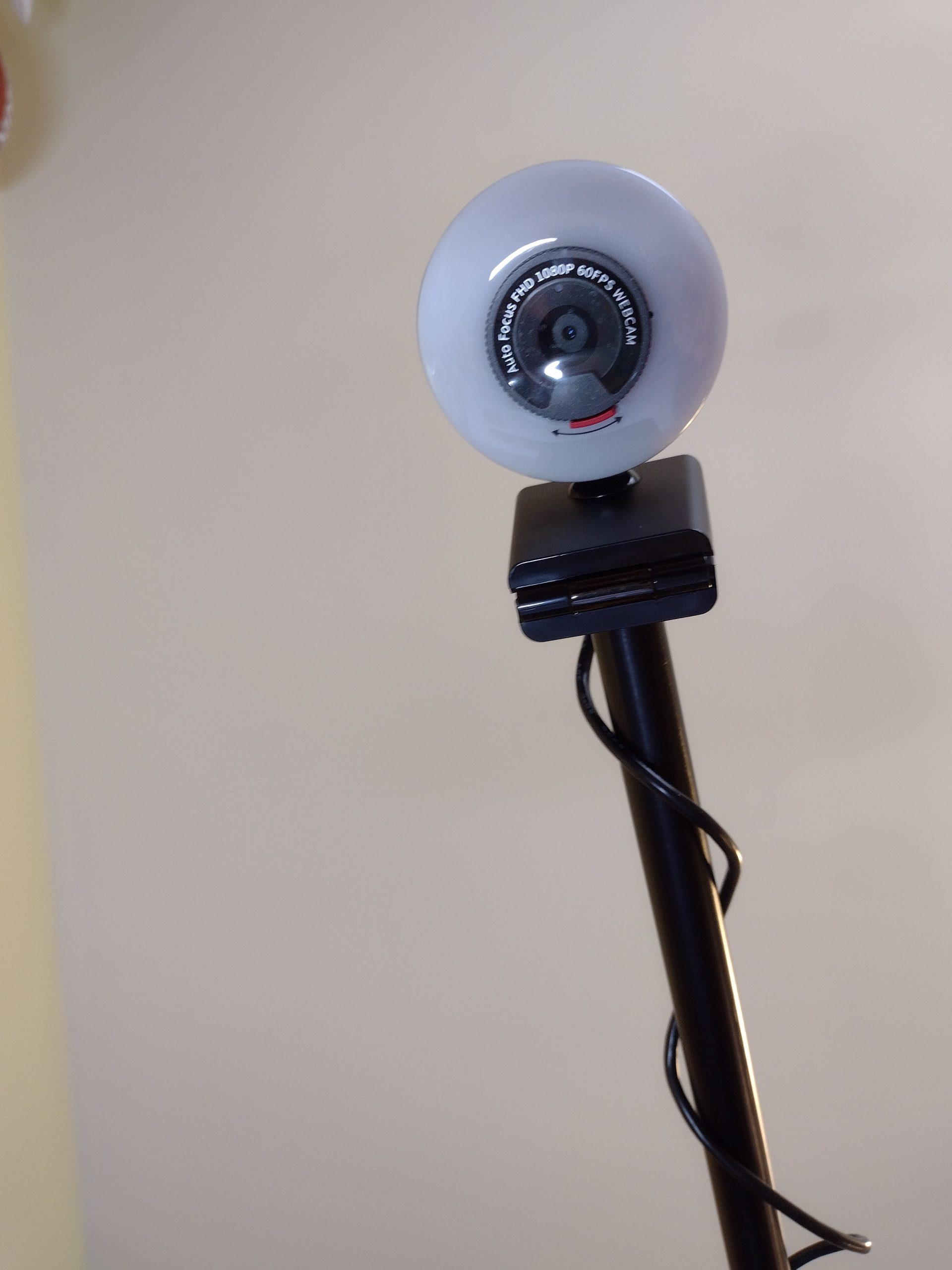
That having been said, I have been getting to know my new friend: the webcam (pictured above). How does one get to know a webcam? Well… I’ve been making a few videos and tweaking the settings, learning to edit using software and also setting up the webcam on an easel, playing with lighting and angles, et cetera. It’s a whole new world for me.

In addition to realizing I certainly desire a manicure every week, I have discovered that I need a lot of work making videos. Ha! So hopefully as time goes by, I’ll begin honing the skill to make better videos for you and the rest of the paper-crafting viewing world. [Big sigh and little giggle.]

Despite my hesitance, I am going to go ahead and post the videos. Now, some of the first videos I’ve made are fairly long; so, I hope to edit and maybe speed them up and then remove the sound and either play music (which is probably what’ll happen) or even voiceover in some cases. This is not a skill that I have yet. I don’t know how to do this but I’m currently trying to learn the software to be able to accomplish those tasks for the video that I have taken thus far.

After I achieve all these things, I will bravely hit the publish button…..stay tuned.

Older but still valuable SVG files in my vault

If you go to my vault, then you will have access to the free SVG files that I’ve made. In the future this will be password protected, so get in now and tell your friends!

There are many good designs to use for making cards and scrapbook pages or in some cases: cut out vinyl for gifts, decor or embellishments. In addition to the SVG files, you’ll see there are digital paper packs, individual digital papers, and other printables.

There really is a lot to choose from and hopefully enjoy.

When I created these items, I was working on my old Scrapbookaloo business which was focused on scrapbooking and I created some sticker sets. So, some of the images were originally developed to go along with those stickers. In the vault, I tried to place a picture next to each SVG or printable file available to give an idea of what it’ll look like…or what it looked like when I created them long ago. Please, use them as you wish for your own projects.

This post is meant to give a small introduction to what on Earth those images are so that you would understand it really was me who made those even though I created them before Rhonda Creations ever existed. A little back story: I was starting to get a good rhythm going with Scrapbookaloo and had begun designing digital kits and images to sell (many of which coordinated with the stickers I’d developed). Once the housing bubble of 2008/2009 burst, I ended up losing the business due to non-existent sales when people realized they needed to forego the hobby expense.

It was a somewhat abrupt end to my upward trajectory since the scrapbooking and paper-crafting industry as a whole took a steep downward trend. I spent a lot of time creating things, so you can imagine how dearly I’ve coveted those creations. Luckily now, I can share them with anyone who wants to access them through this new vault. I did spend a bit of time loading them into the Cricut design space to see if they will look and behave properly and I’m happy to report that they do! Cheers abound!

.

Incidentally, did you know you can look up old websites on the internet archive? Search for the “way back machine” or visit Wayback Machine (archive.org). Once you get there, you can search for any URL. To look for my site, type in scrapbookaloo.com. A bar graph comes up detailing the dates when the archive “crawled” that site. Near that graph (that runs across the whole screen), you’ll see dates detailing the range and those dates are links. Click the link to see the pages of my old site back in the day.

ENCOURAGEMENT FROM SOCIAL MEDIA

Yesterday I had posted online how I’m struggling with this new website. Chiefly getting it functional and beautiful. Many of my friends posted encouraging statements. I was very happy to see these statements because it really did lift me up which was something I didn’t realize I was needing quite so much. I can really get to following an issue and working down into a rabbit hole not understanding how frustrated I really am.

So, the journey continues…I’m still trying to get the website up and running and looking beautiful. That is my main struggle because I don’t really know enough about the back-end workings. I have lots of beautiful images – I just don’t know where to put them or how my new theme works and I’m still trying to get the site looking good. But the thing is that I really do want to learn enough to get by and keep on with my dream of making Rhonda Creations as wonderful as I know it can be.

I’m very happy that you’ve hung in there with me and continue encouraging. I think that’s the good stuff that makes the world go ’round.

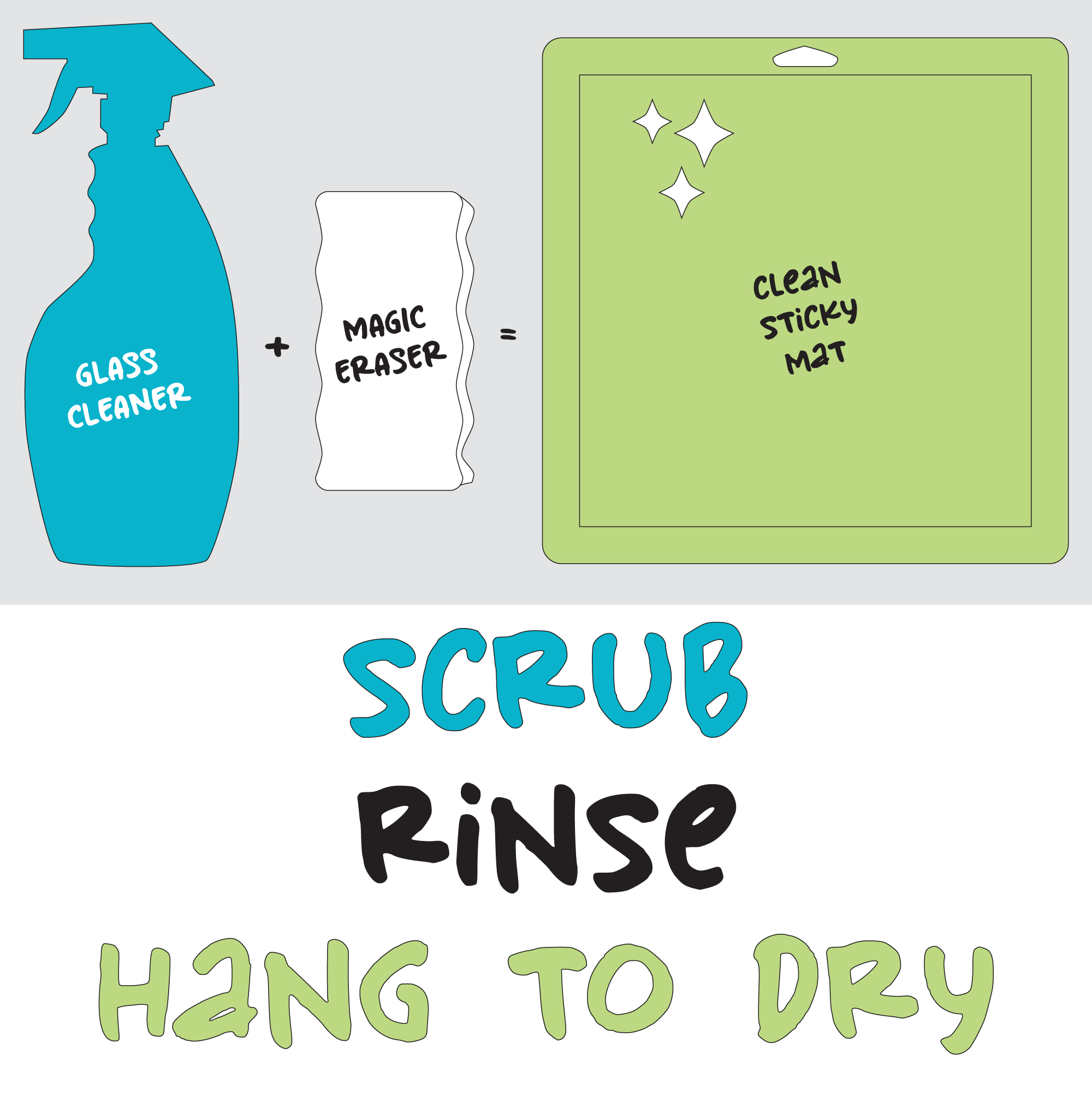
CLEAN CRICUT CUTTING MAT

Refresh a well-used and barely sticky mat.

Spray with window cleaner (I used Glass Plus) and then scrub with a Mr. Clean Magic Eraser.

Wet the magic sponge and then squeeze excess water out so that your sponge is damp.

Spritz the whole mat to wet the grid area. Use just enough pressure to be able to use a circular scrubbing motion. I had to spritz more glass cleaner on as the sponge soaked it up. I just did a once over and then rinsed the whole mat off under the running kitchen faucet.

Shake and wiggle the mat back and forth to allow as much water to come off as possible WITHOUT wiping it.

Hang to dry.

Get a new mat soon because this will NOT refresh your mat back to like-new status.

Test Post 1

Lorem ipsum dolor sit amet, consectetur adipiscing elit, sed do eiusmod tempor incididunt ut labore et dolore magna aliqua. Ut enim ad minim veniam, quis nostrud exercitation ullamco laboris nisi ut aliquip ex ea commodo consequat. Duis aute irure dolor in reprehenderit in voluptate velit esse cillum dolore eu fugiat nulla pariatur. Excepteur sint occaecat cupidatat non proident, sunt in culpa qui officia deserunt mollit anim id est laborum.